
If your Sprizzy dashboard shows 0 subscribers, this does not necessarily mean you aren’t gaining subscribers. In most cases, subscribers are happening, but YouTube is not reporting them properly due to a specific channel setting.
The Most Common Cause: Personalized Ads Are Disabled
When personalized (interest-based) ads are turned off on your YouTube channel, Google Ads cannot reliably report earned actions, which include:
Campaign Subscribers
Campaign Likes
As a result, Sprizzy will show 0 subscribers, even though people may actually be subscribing.
How to Fix It (Takes 30 Seconds)
Follow these steps to check and update your settings:
Log in to YouTube Studio
Click Settings (bottom-left)
Go to Channel
Select Advanced settings
Scroll down to Advertisements
Make sure “Disable interest-based ads” is UNCHECKED
Click Save
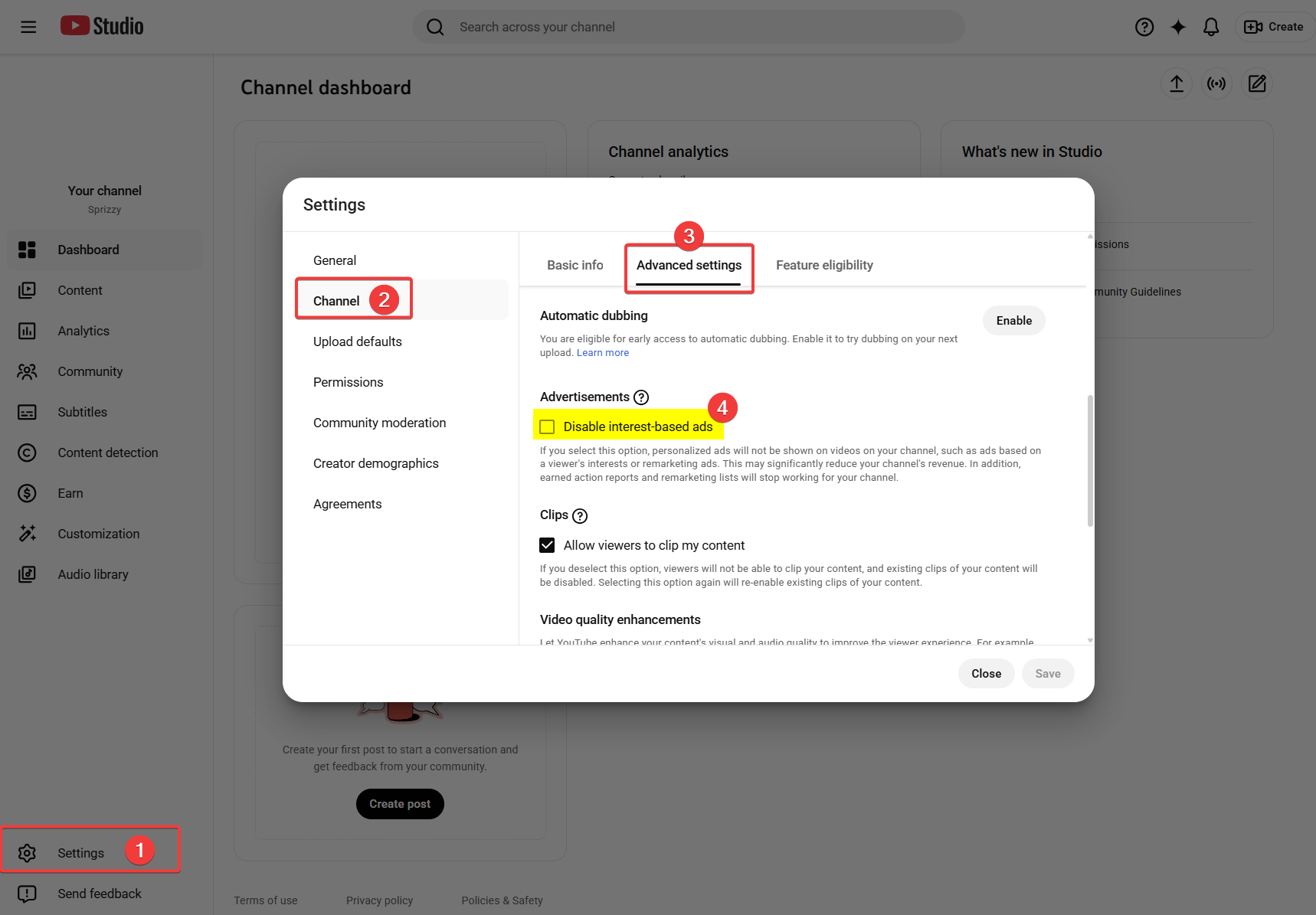
✅ Correct setting: The box should be unchecked
Note: This change will not retroactively recover missing data. It will only apply to data moving forward.
Why This Matters
If interest-based ads are disabled:
Subscriber reporting is blocked
Earned action data will not appear
Sprizzy cannot display subscriber growth accurately
Once this setting is corrected, subscriber data typically starts reporting again automatically.
Still Seeing 0 Subscribers?
If the box was already unchecked and you’re still seeing 0 subscribers, reach out to Sprizzy Support and we’ll take a deeper look for you.